
Apollo Group TV

Official Apollo Group TV App

The Official Apollo Group TV App —
One App for Every Screen

Stream 24,000+ live HD channels and 90,000+ movies instantly through the apollo app. Experience lightning-fast EPG, anti-freeze technology, and up to 5 simultaneous streams on Firestick, Smart TV, iPhone, and Android.
Multi-Device Sync
Instant EPG Guide
5 Concurrent Streams
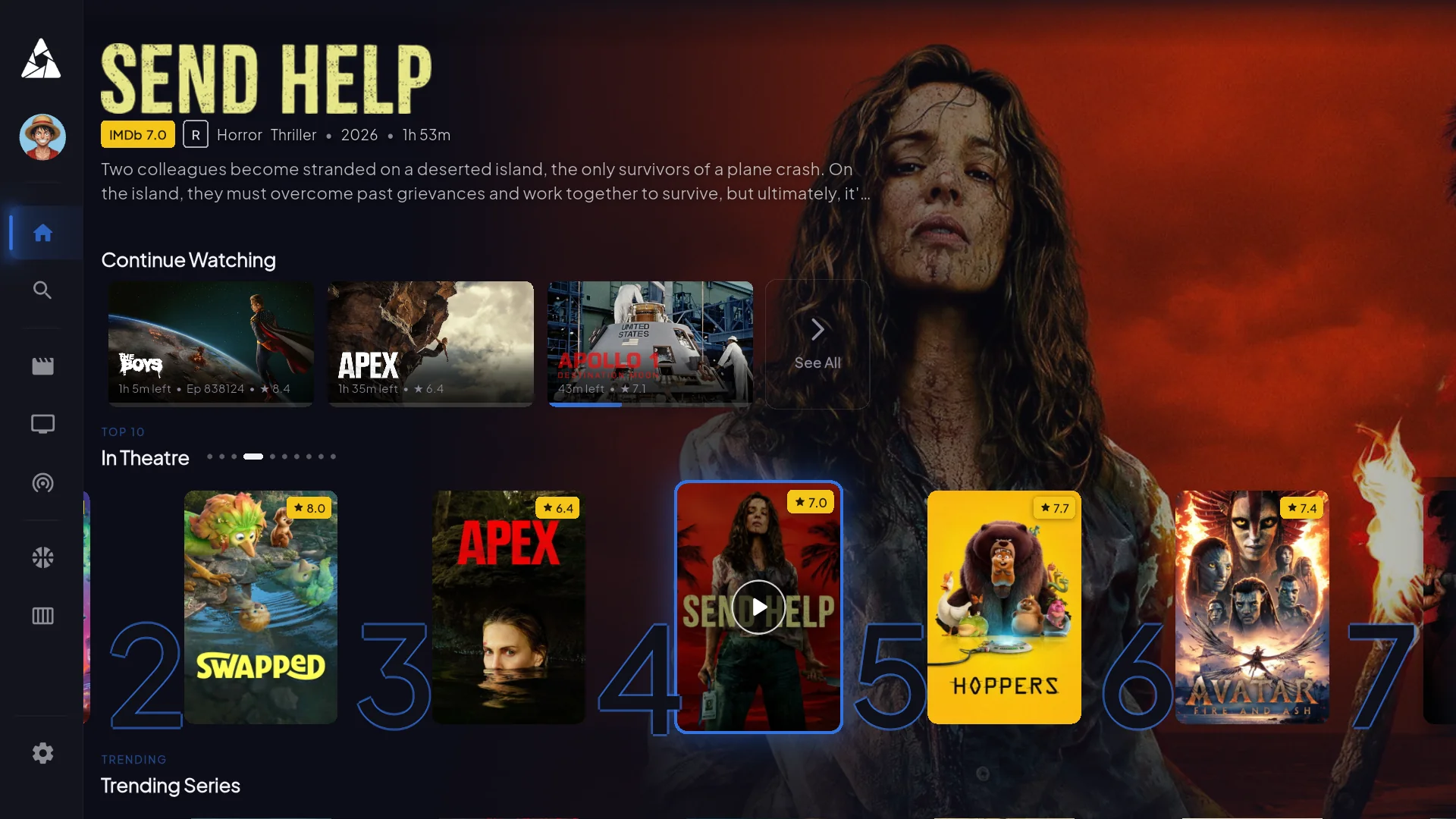
Apollo Group TV app interface running on Smart TV

Advanced Engineering

Four Reasons the Official Apollo App Outperforms Ordinary IPTV Apps

Most third-party streaming applications suffer from freezing, long loading delays, and unstable connections. The proprietary architecture behind the apollo group tv app guarantees peak performance.

Lightning-Fast EPG Guide

Traditional IPTV program guides take over 30 seconds to fetch data. Ours is server-side pre-rendered and locally cached for instant channel browsing.

~600ms Anti-Freeze Fail-Over

Encountering network congestion? The apollo tv app download includes smart routing that instantly connects to backup servers without a spinning buffering wheel.

Unified EPG Across All Devices

Your custom channel playlists, favorite groups, and watch histories stay perfectly synchronized across your Firestick, Smart TV, phone, and tablet.

Optimized VOD Library Interface

Explore over 90,000+ movies and complete series collections featuring rich TMDB metadata, fast search filters, and automatic episode tracking.

Compatible with

Amazon Firestick
Fire TV Cube
Google TV
Android TV

Inside the TV App

See It Before You Buy It

Four core screens covering what apollo group tv app subscribers use every day. These are real, un-mocked screenshots captured straight from the live app interface.
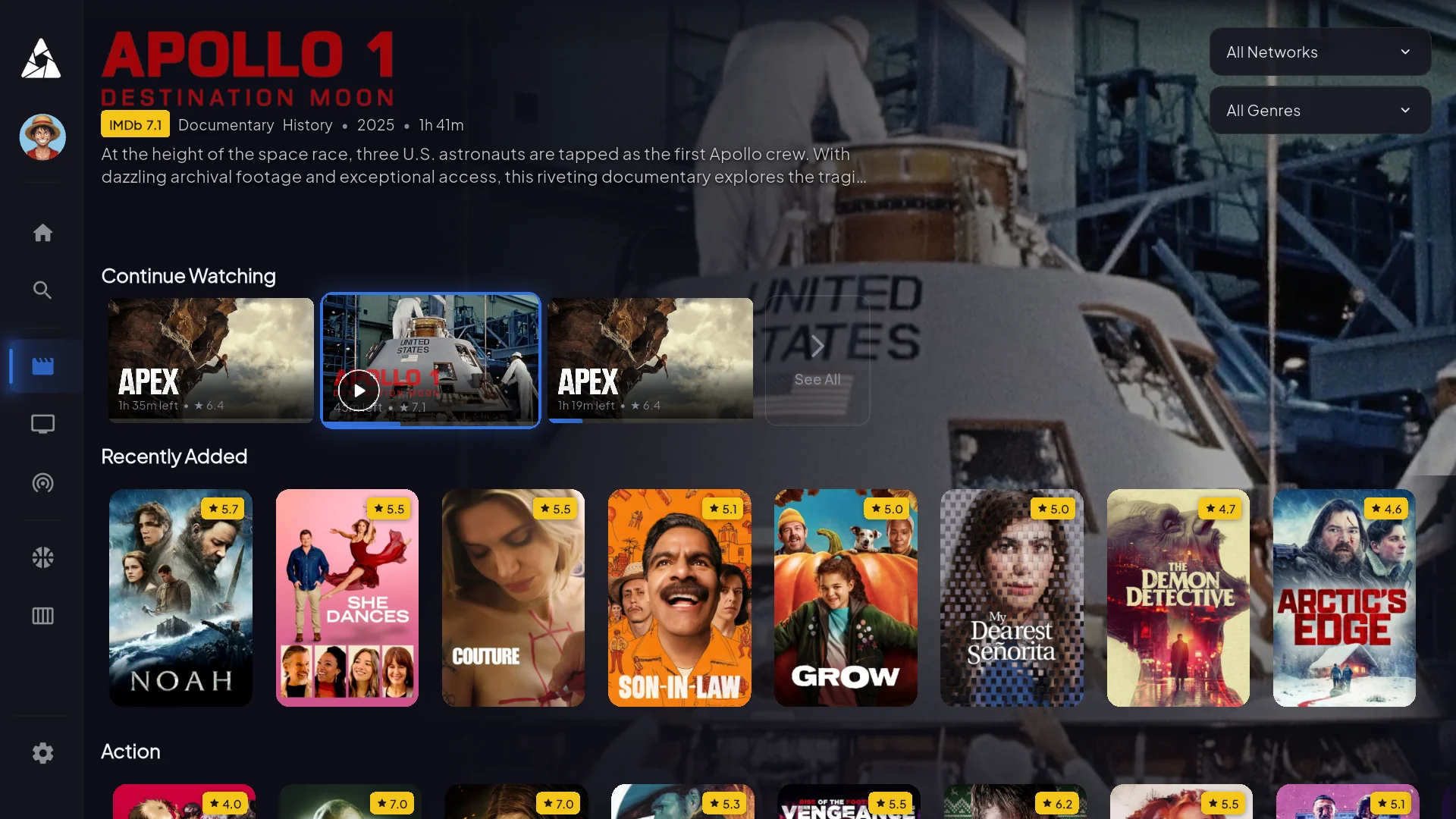
Apollo Group TV movie detail page with cast, runtime, and synopsis

VOD Detail Pages

Rich TMDB metadata, cast lists, runtimes, and related films so you always know what you're about to watch on the apollo app.
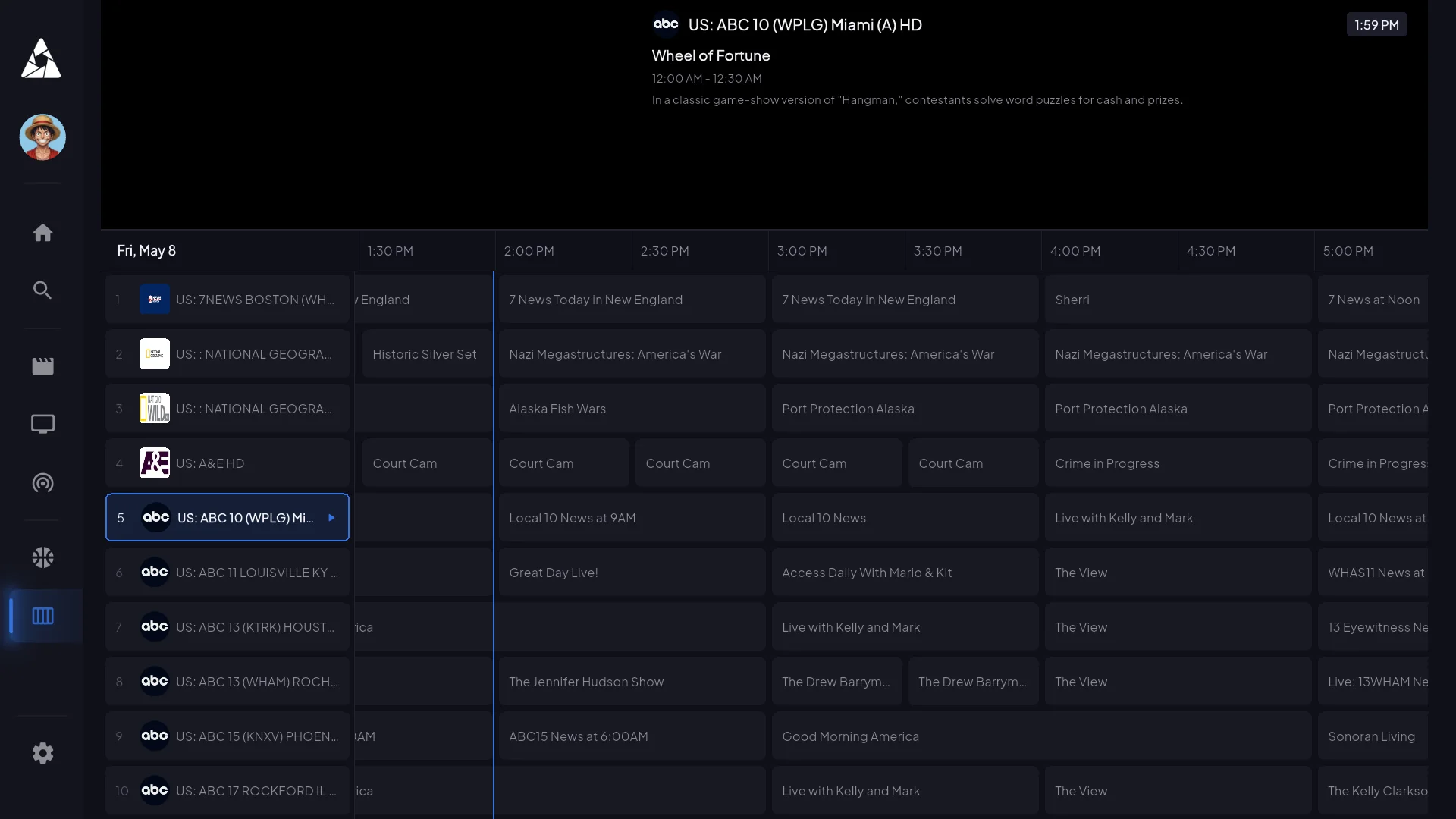
Apollo Group TV electronic program guide with 7-day schedule grid

EPG — 7 Days of Guide Data

Filter categories, jump to specific time slots, and set reminders instantly. Optimized to load in under 2 seconds on first launch.
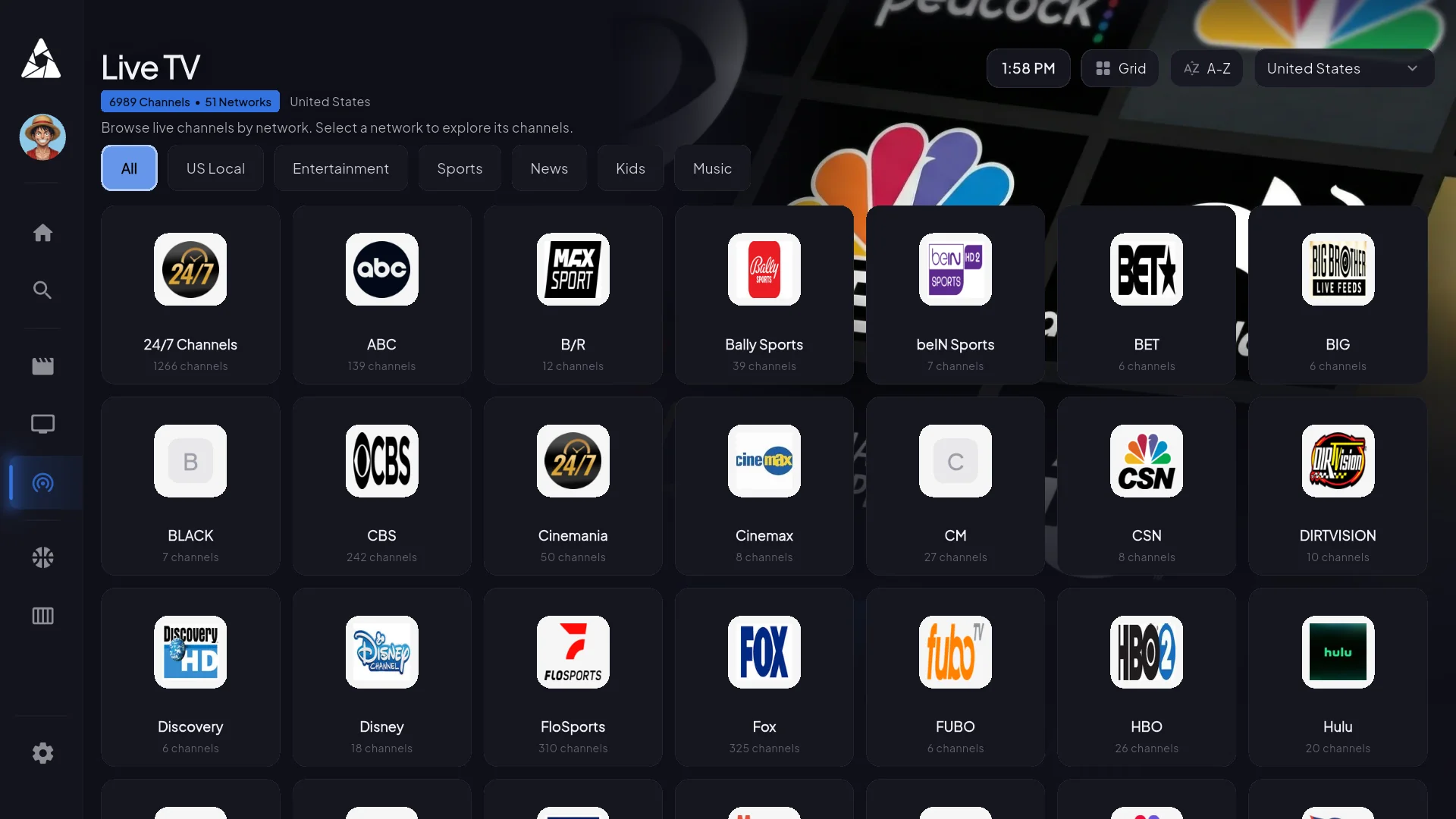
Apollo Group TV live channel grid featuring 22000 plus feeds

Live Channels — 22,000+ Feeds

Filter by country, genre, or sport effortlessly. Designed to scroll smoothly through 22k+ entries without the lag typical of inferior apps.
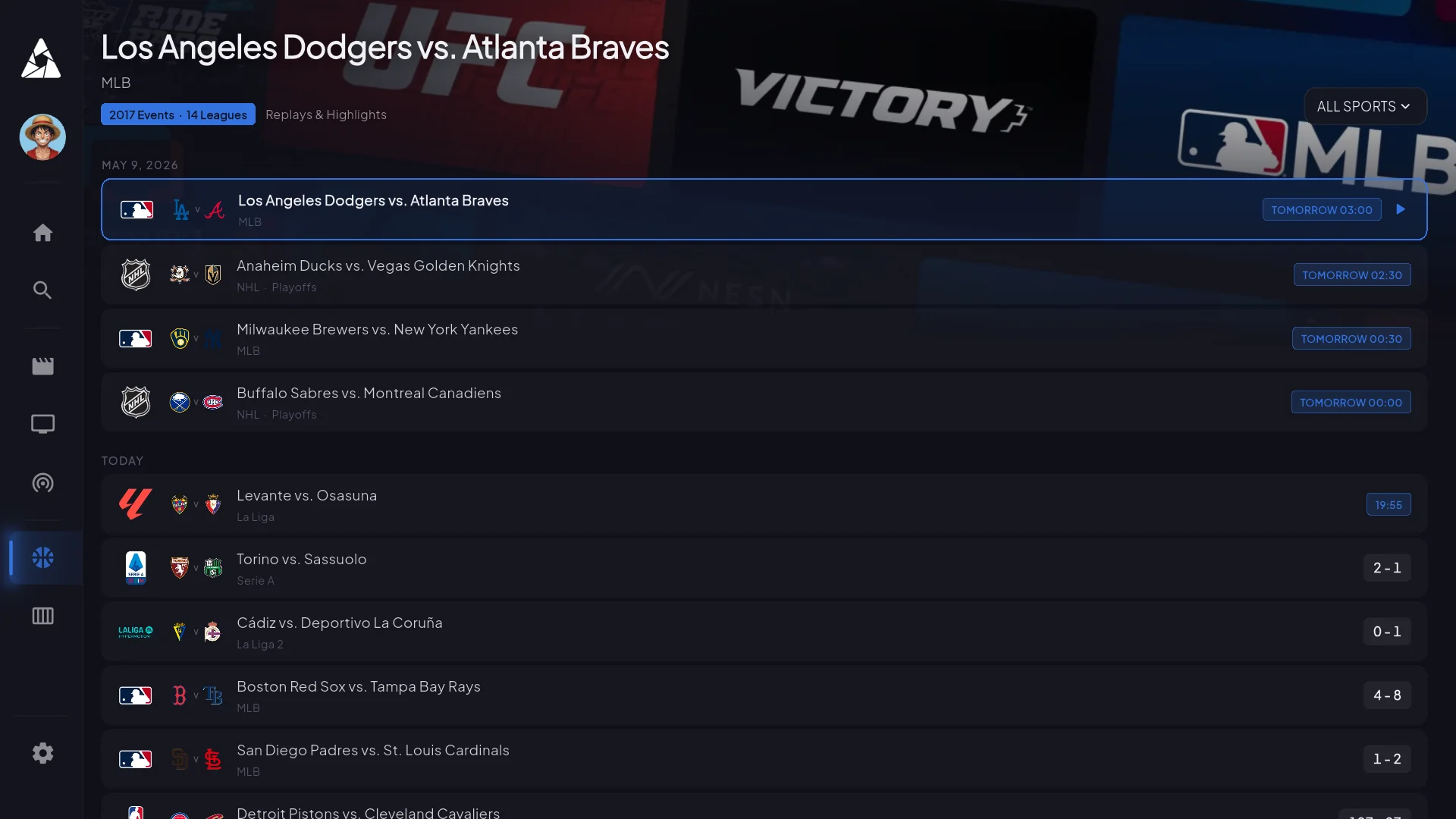
Apollo Group TV sports section showcasing live match schedules

Sports — Live First, Schedule Second

See what's broadcasting right now and who is playing tonight. Click any match to jump straight to the correct streaming feed instantly.

Install it anywhere

Every device we run on

Nine platforms. A few use sideloading or third-party players because the platform owner won’t allow generic IPTV apps in their store — the install guides walk you through each.

Device you don’t see here? Ask support — we probably support it but didn’t list it.

App Questions

What People Ask About the Apollo App

For general billing or channel lineup inquiries, check our main FAQ. These answers focus specifically on how the official apollo group tv app behaves across your devices.

No. The guide downloads in the background the first time you open the app — usually fully populated within 5–10 minutes. Channels still play normally during that window; you can browse by channel name or number while it caches. Force-closing won't speed up the initial sync.
No. This is a live high-definition IPTV streaming service — there are no local file downloads. The massive VOD library streams entirely on-demand via secure cloud servers.
Catchup TV provides access back 3 to 7 days of programming on supported live channels. True native DVR/PVR recording is currently in development for Android TV platforms, though device storage limits restrict it on certain streaming sticks.
Yes, Picture-in-Picture is fully supported on iOS, iPadOS, and compatible Android devices using multi-window. Standard Smart TVs and Firestick hardware do not currently expose native PiP developer APIs.
We recommend a minimum of 8 Mbps for stable HD streaming on one device, 15 Mbps for 4K streams, and 25+ Mbps if multiple household screens are active simultaneously. Connections under 5 Mbps will experience frequent buffering regardless of plan.
Navigate to Player Settings → Audio Sync and adjust the offset by ±200ms. Audio desync is almost always caused by an HDMI handshake delay between your TV and streaming box rather than the stream itself.
Yes. Many subscribers use a VPN, especially if their Internet Service Provider (ISP) throttles live video traffic. The app runs smoothly alongside VPNs. Note that connecting to a VPN server in an unsupported region may occasionally hide specific geo-restricted regional channels.

Try the Apollo App Risk-Free

Pick your subscription plan, install the apollo group tv app on your first device within 5 minutes, and receive instant login credentials in under 60 seconds. Backed by our 7-day money-back guarantee.

Still deciding? Read what 2,800+ active subscribers say on our verified reviews page.